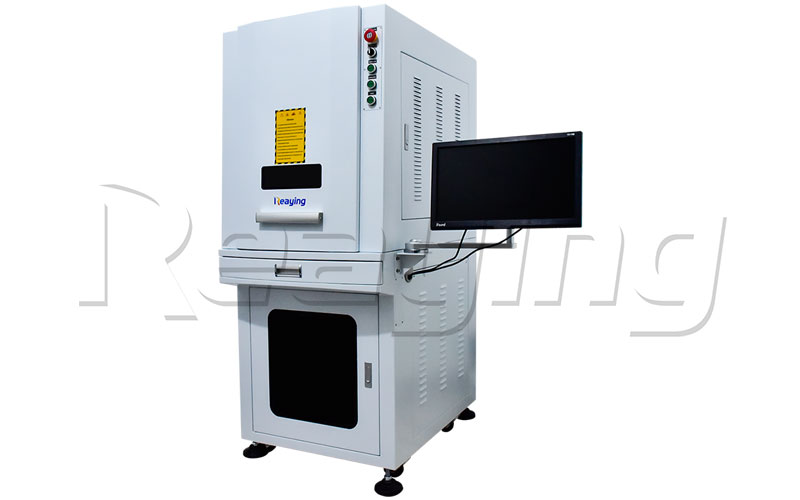
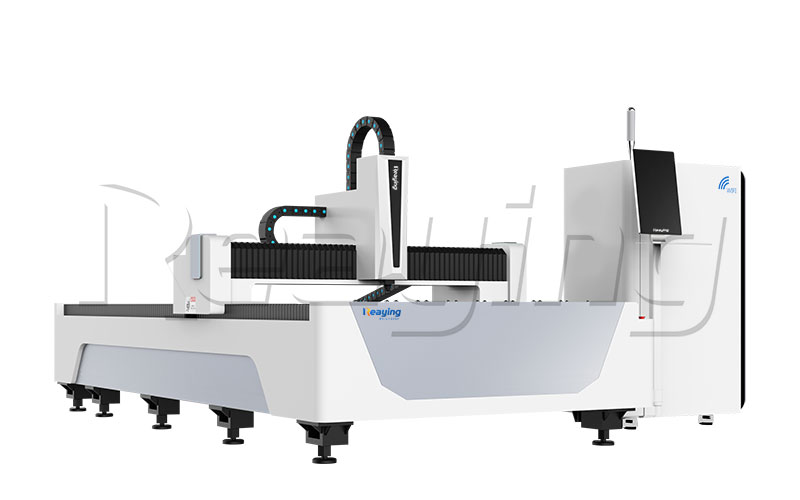
However, not every laser marking machine is suitable for every material or marking task. The best choice depends on the workpiece material, the required marking effect, the size and shape of the part, production volume and the way the machine will be used.
This guide explains the main benefits of laser marking, the differences between common laser types and the key points to check before purchasing a machine.
How Does a Laser Marking Machine Work?
A laser marking machine directs a controlled laser beam onto a selected area of a workpiece. Depending on the material, laser source and processing parameters, the beam can change the surface appearance, create a contrasting mark or remove a small amount of surface material.
A marking system commonly includes a laser source, optical components, a scanning or motion system, a controller and marking software. The exact configuration depends on the machine type and application.
Before selecting a machine, define what the mark needs to achieve. A product logo, a serial number, a QR code and a deeper engraved pattern may have different requirements. A suitable machine should be evaluated against the actual material and the expected result rather than selected by laser power alone.
What Are the Main Benefits of Laser Marking Machines?
1. Clear and Repeatable Marking
Laser marking can create text, numbers, symbols, logos and patterns according to a digital design. Once the program and processing conditions have been verified, the same setup can be used to mark repeated parts.
The final result still depends on the material, machine configuration, focus, parameter settings and workpiece positioning. Sample testing is useful when marking contrast or readability is important.
2. Non-Contact Processing
Laser marking does not require a marking tool to press directly against the workpiece. This can be useful for small parts or products where mechanical contact would be undesirable.
Non-contact processing does not mean that every part can be marked without preparation. The workpiece still needs suitable positioning, and some materials or applications may require cleaning, fixtures or additional process checks.
3. Flexible Digital Content
Marking software can support different text, codes, logos and graphic designs. This flexibility is useful for products that require identification numbers, batches or different versions of a design.
For production involving frequently changing content, check how the software handles variable data, file import and communication with other equipment before choosing a machine.
4. Potential for Production-Line Integration
Depending on the model and configuration, a laser marking machine may be used as a standalone workstation or integrated with other production equipment.
If the machine will operate in a production line, consider how parts are loaded and positioned, how marking data is transferred, and how the system signals completion or an error. These requirements should be discussed before ordering additional automation.
5. No Routine Ink or Label Consumables for the Marking Process
Laser marking can avoid the routine use of ink, ribbons or adhesive labels for the mark itself, depending on the alternative process being replaced.
However, it is important to compare the complete operating cost. Installation, fixtures, protective equipment, extraction, maintenance and any required automation can also affect the total cost of ownership.
Which Type of Laser Marking Machine Should You Choose?
Laser type is one of the first decisions to make. Different laser sources are suited to different materials and marking requirements, so the actual workpiece should be tested before a final selection.
Fiber Laser Marking Machines for Metal Parts
Fiber laser marking machines are commonly evaluated for metal workpieces such as stainless steel, aluminum, copper, hardware parts and electronic components. Typical applications include product identification, serial numbers, logos and QR codes.
The required laser power, marking area, optical configuration and other options depend on the part and desired result. For example, a small component that needs a compact identification mark may have different requirements from a larger workpiece or a high-volume production line.
Explore the Reaying fiber laser marking machine range to compare available configurations.
CO2 Laser Marking Machines for Non-Metal Materials
CO2 laser marking machines are commonly considered for selected non-metal materials, including wood, paper, leather, fabric and some plastics. Suitability depends on the material composition, surface finish and required marking appearance.
Do not assume that all plastics or coated materials can be processed in the same way. Some materials may produce unsuitable results or require particular safety precautions. Confirm compatibility and test representative samples before production.
View the Reaying CO2 laser marking machine range for available options.
UV Laser Marking Machines for Fine or Heat-Sensitive Applications
UV laser marking machines may be appropriate for certain plastics, glass, electronic components and other applications where fine detail or limited thermal impact is important.
The result depends on the material, its surface treatment and the required mark. If the workpiece is heat-sensitive or has a special coating, request a test using the actual material rather than relying only on a general material list.
Explore the Reaying UV laser marking machine range for available configurations.
What About Color Marking?
Some applications require different colors or contrast effects on metal surfaces. These requirements may call for a specific laser source and adjustable processing parameters.
If color marking is important, explain the target material, desired colors and expected consistency to the supplier. Ask for sample results on the actual workpiece, because the same settings cannot be assumed to produce the same appearance on every material or finish.
Key Points to Check Before Buying a Laser Marking Machine
1. Identify the Material and Surface Condition
Start with the exact material that will be processed. Where possible, provide the material grade and describe any surface treatment, coating, anodizing, plating or other finish.
Material and surface condition can influence mark contrast and quality. If the product contains multiple materials, test each relevant part rather than assuming one machine setup will work for all of them.
2. Define the Required Marking Result
Decide whether you need a logo, serial number, QR code, date code, surface contrast or deeper engraving. Also consider whether the mark must remain readable after exposure to abrasion, cleaning or the product’s normal working environment.
If a code must be scanned, check its readability on the finished surface under realistic lighting and operating conditions. A mark that looks clear to the eye is not automatically suitable for every scanning system.
3. Confirm the Working Area and Part Dimensions
The marking area must accommodate the intended design and workpiece setup. Consider the dimensions of the mark, the overall part size and any fixture used to hold the part.
For cylindrical or other non-flat workpieces, ask whether a rotary device or another positioning arrangement is required. Confirm which accessories are included and which are optional.
4. Select the Laser Configuration Based on Testing
Laser power is an important specification, but higher power does not automatically mean a better result for every marking task.
Discuss the material, mark size, desired effect and production quantity with the supplier. Where available, request sample marking at the proposed configuration and record the settings used so the results can be evaluated consistently.
5. Estimate Actual Production Throughput
A marking-speed figure alone does not describe the full production cycle. Loading, positioning, focusing, data changes, inspection and unloading can all affect the number of parts completed in a shift.
If throughput is a key requirement, test representative designs and parts. Ask how the quoted marking time is measured and whether it includes loading, positioning and other handling operations.
6. Check Software and Data Requirements
Confirm that the marking software supports your design files and production workflow. If each part needs a different serial number, QR code or other variable information, ask how the machine imports and processes that data.
For automated production, confirm any required communication with a PLC, production system, barcode reader or other equipment before ordering.
7. Review Safety and Workshop Requirements
Laser equipment must be used in accordance with its instructions and applicable safety requirements. Check the machine’s protective enclosure, interlocks where applicable, operating procedures and whether fume extraction or other controls are required for the material being processed.
The appropriate safety arrangement depends on the laser system, workpiece and installation environment. Confirm these details before installation, particularly if the machine will be integrated into an existing production line.
8. Compare Service, Training and Maintenance
Before making a purchase, clarify installation requirements, operator training, technical support, maintenance procedures, consumable parts and warranty terms.
Ask which components are covered, how support is provided and what information is needed to troubleshoot a problem. Compare the terms for the exact model and configuration being quoted rather than assuming that all models have identical service arrangements.
How to Test a Laser Marking Machine Before Purchase
A sample test is one of the most practical ways to evaluate whether a machine is suitable for your application.
Prepare a representative workpiece and provide the supplier with the target marking design. Explain the required contrast, depth, code readability or other acceptance criteria. If the workpiece has a special coating or surface treatment, use that same material during testing.
Review the results against your requirements:
Mark appearance: Check whether the logo, text or pattern has the required contrast and detail.
Readability: Confirm that small text and codes can be read or scanned as intended.
Consistency: Where relevant, compare multiple samples instead of reviewing only one part.
Cycle time: Measure the process in a way that reflects your actual production workflow.
Workpiece condition: Check for unwanted surface changes or damage that would make the result unacceptable.
Keep a record of the tested material, machine configuration, sample result and agreed acceptance criteria. These details make it easier to compare different configurations and confirm the scope of a quotation.
Is a Laser Marking Machine Suitable for Your Production?
A laser marking machine may be worth considering when products need repeatable identification, logos, codes or other marks without relying on conventional ink or label processes. Its suitability depends on the target material, the required effect and the production workflow.
For a small workshop, ease of setup and the range of parts to be marked may be central concerns. For a production line, data handling, fixtures, throughput and integration may matter just as much as the marking result itself.
The goal is to select a configuration that meets the real production requirement, not simply to purchase the machine with the highest advertised power or speed.
Frequently Asked Questions
What materials can a laser marking machine process?
Suitable materials depend on the laser type, workpiece composition and surface condition. Fiber laser marking is commonly used for metals, while CO2 and UV systems are considered for different non-metal applications. Confirm the compatibility of the actual material through supplier guidance and sample testing.
Is a fiber laser marking machine better than a CO2 laser marking machine?
Neither is universally better. Fiber and CO2 systems are used for different material requirements and applications. Identify what you need to mark before comparing machine types.
Does a higher-power laser marking machine always mark faster?
Not necessarily. The result depends on the material, required marking effect, design, software settings and machine configuration. Compare sample results and realistic production-cycle times for your application.
Can a laser marking machine mark QR codes and serial numbers?
Many marking systems can process text, codes and graphics through suitable software. If code readability is critical, test the finished mark with the intended scanning method and under realistic conditions.
What should I prepare before asking for a quotation?
Prepare the workpiece material and surface finish, part dimensions, a sample drawing or marking file, the required mark appearance, expected production quantity and any software or automation requirements. This information helps the supplier recommend and quote a more appropriate configuration.
Find a Suitable Laser Marking Machine with Reaying
Choosing the right laser marking machine starts with your material and the result you need. By confirming the marking requirements, machine configuration, safety arrangements and production workflow before purchase, you can compare options on a more practical basis.
Visit the Reaying laser marking machine category to review the available machine types. You can then contact Reaying with your material details, part drawings and marking requirements to discuss a suitable configuration.